New features in DI Insight
Production date
18.09.2026
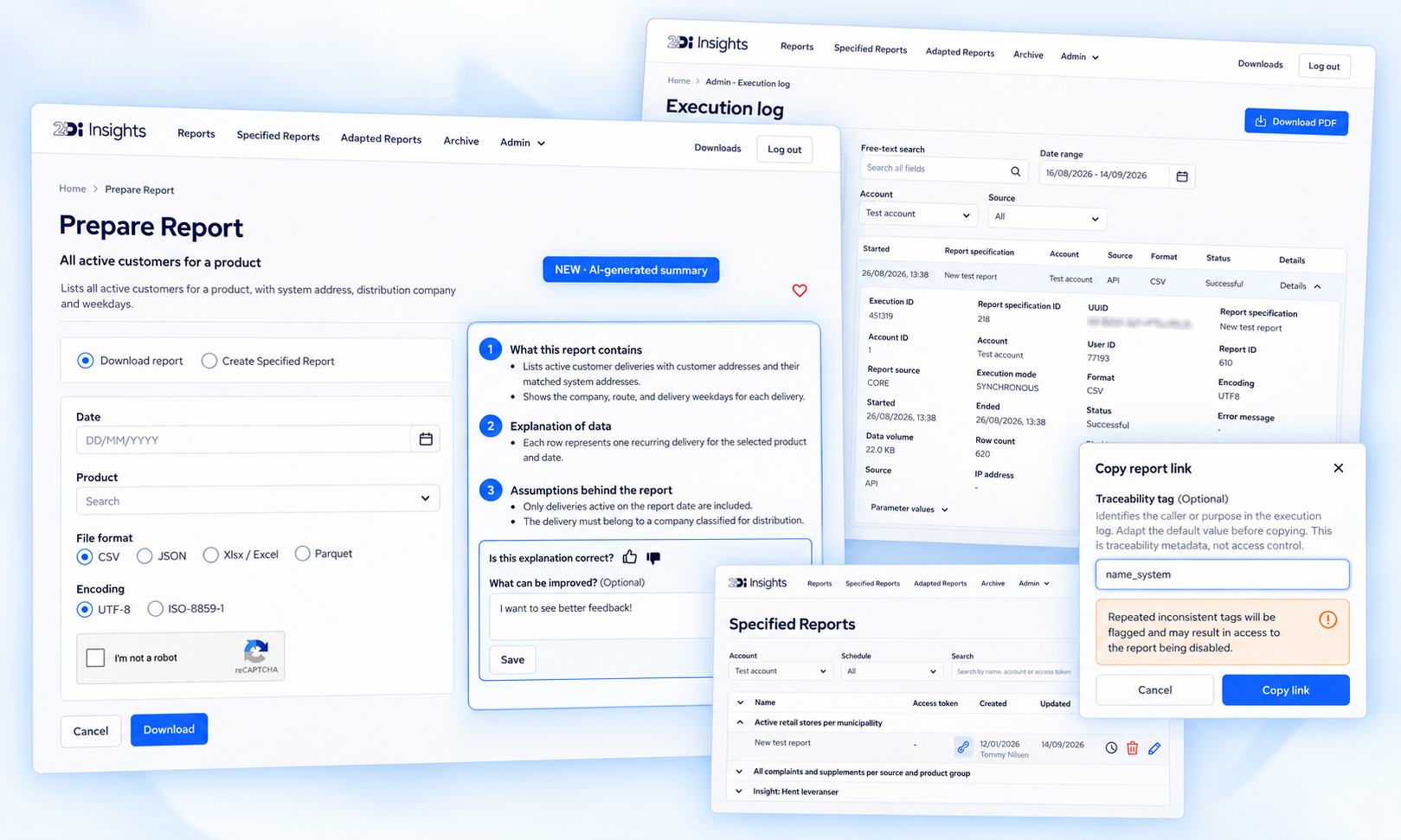
This release introduces AI-generated report summaries, improved access-token management, enhanced request traceability, a new execution log for account administrators, and several security improvements.
AI-generated report summaries
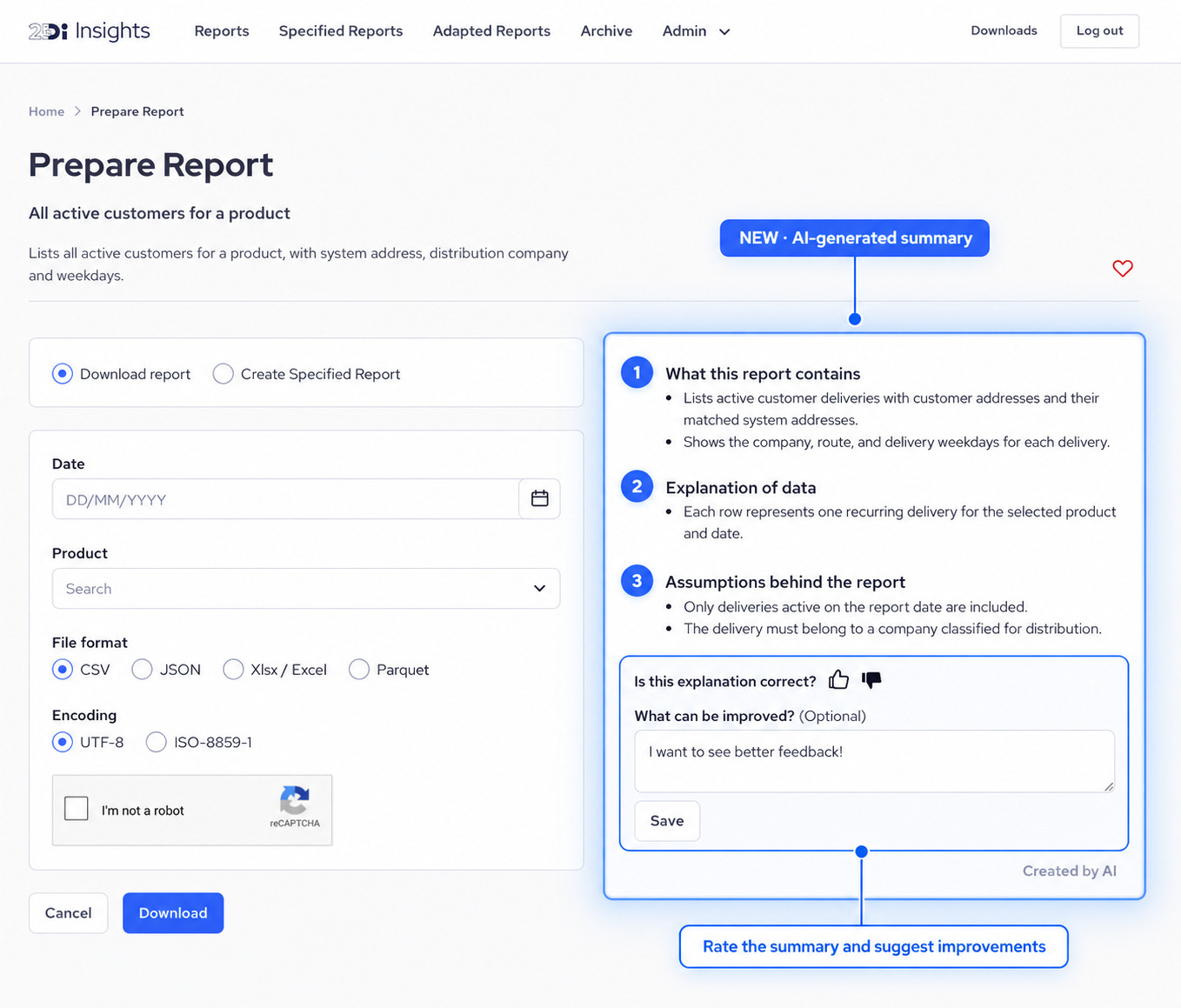
Reports in DI Insights now include an AI-generated summary that helps users understand the report’s content and underlying logic.
Each summary is divided into three sections:
What this report contains
An overview of the report’s fields and the information they contain.Explanation of the data
More detailed information about what the different data elements represent.Assumptions behind the report
Predetermined assumptions and conditions that affect the report, such as timeframes, access restrictions, business rules, and regulations.
Feedback on AI-generated summaries
You can now provide feedback on every AI-generated report summary.
Use the thumbs-up button when the explanation is correct and helpful, or the thumbs-down button if you find inaccuracies. You can also submit written feedback to explain what is incorrect or suggest how the summary could be improved.
Your feedback will help us improve the quality and accuracy of future report explanations.
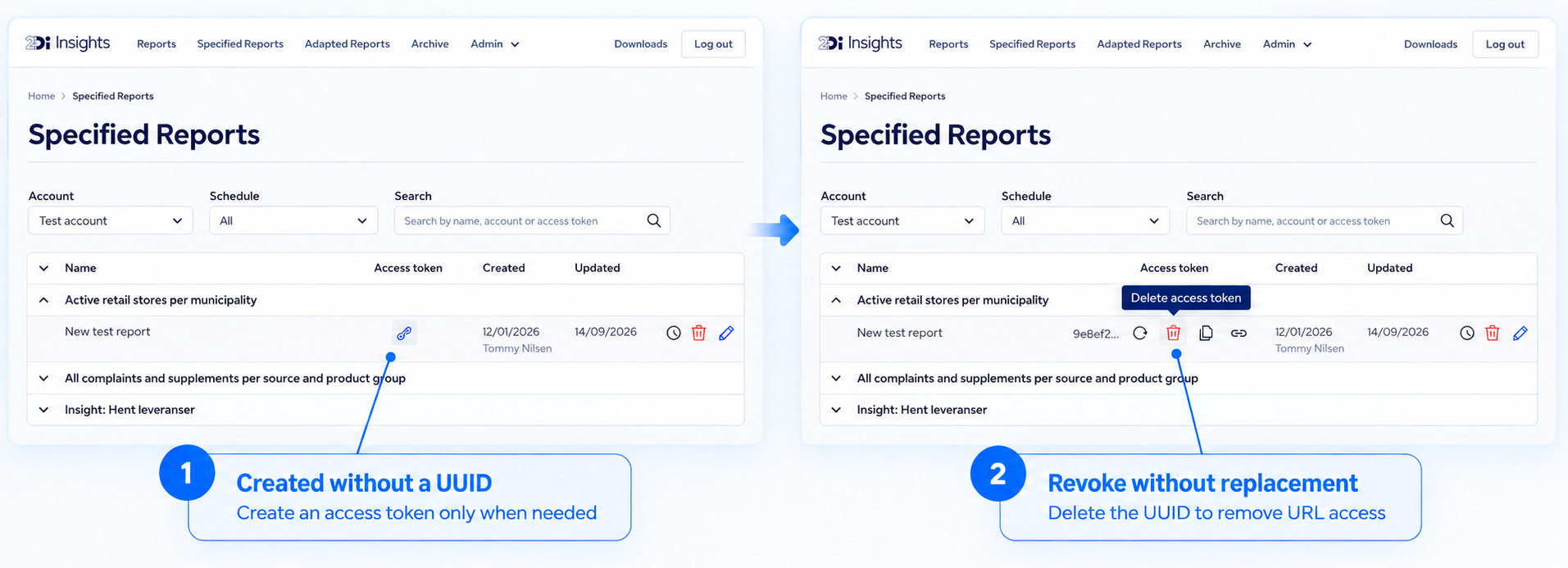
New specified reports are created without a UUID
New specified reports are no longer assigned a UUID automatically.
The UUID functions as an access token for requesting the report through a URL. As a security improvement, the token must now be created explicitly when external access is required.
Revoke a UUID without creating a new one
It is now possible to revoke an issued UUID for a specified report without replacing it.
Previously, an existing UUID could only be rotated, which automatically created a new one. You can now delete the UUID entirely when URL-based access is no longer required. Requests using the revoked token will no longer be accepted.
Optional traceability tag for specified reports
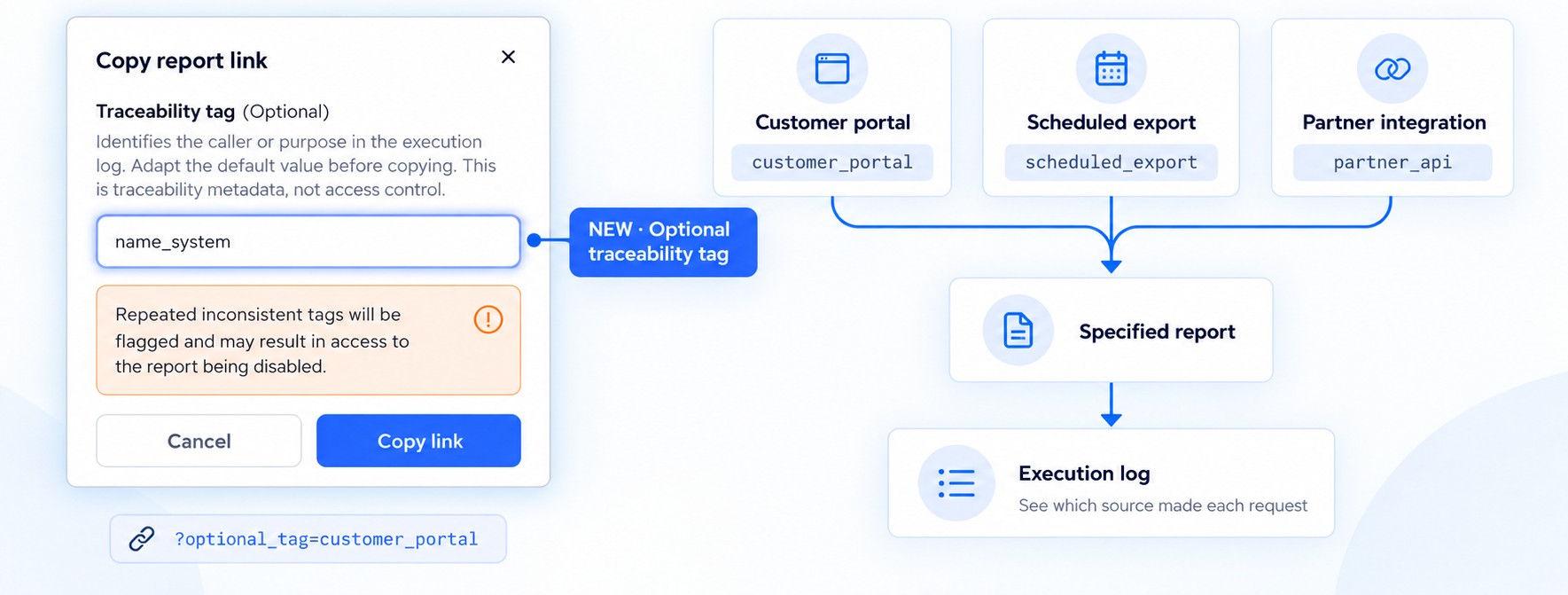
You can now include an optional traceability tag when requesting a specified report through a URL.
The tag can be used to identify different systems, integrations, or workflows that access the same specified report. It is recorded in the new execution log, giving account administrators greater visibility into where requests originate.
Add the tag as a URL parameter:
?optional_tag=source_name
The user interface also includes a helper function for adding an optional tag when copying a report URL.
Account-specific lifetime for email links
The validity period for report links sent by email can now be configured separately for each account.
The system default is 40 days, but accounts can now use a custom number of days. Contact DI Support if you want to change this setting for an existing account.
When selecting a validity period, remember to allow sufficient time for recipients who may receive or open emails during weekends, holidays, or periods of absence.
New execution log for account administrators
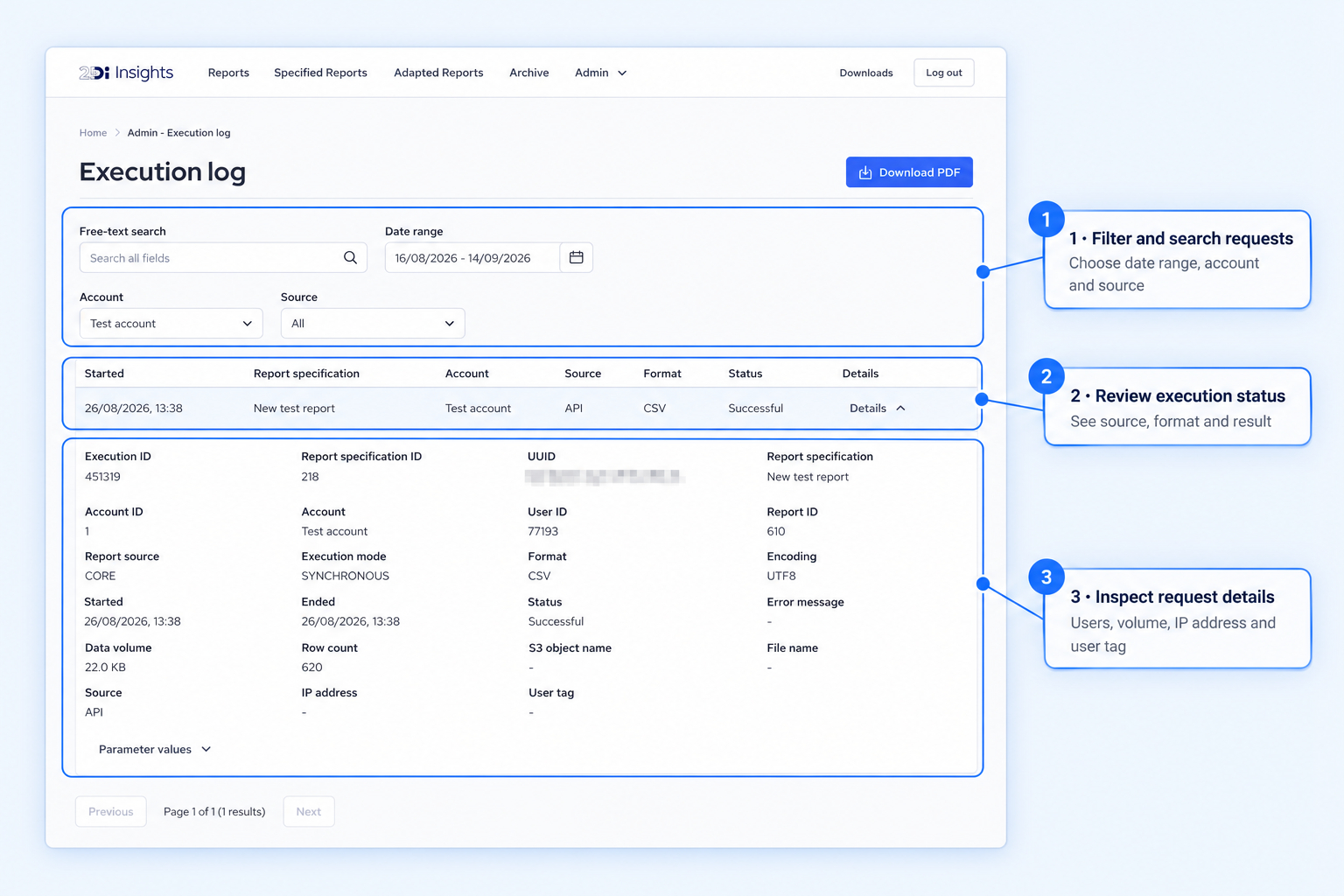
Account administrators now have access to a new execution log that provides an overview of report requests made on their account.
The log displays requests within a selected date range and allows administrators to inspect individual executions in greater detail. Available information includes:
User
Date and time
Data volume
Execution status
IP address
Traceability tag
This provides greater visibility into report usage and makes it easier to monitor integrations, investigate issues, and verify authorized requests.
More flexible relative date options
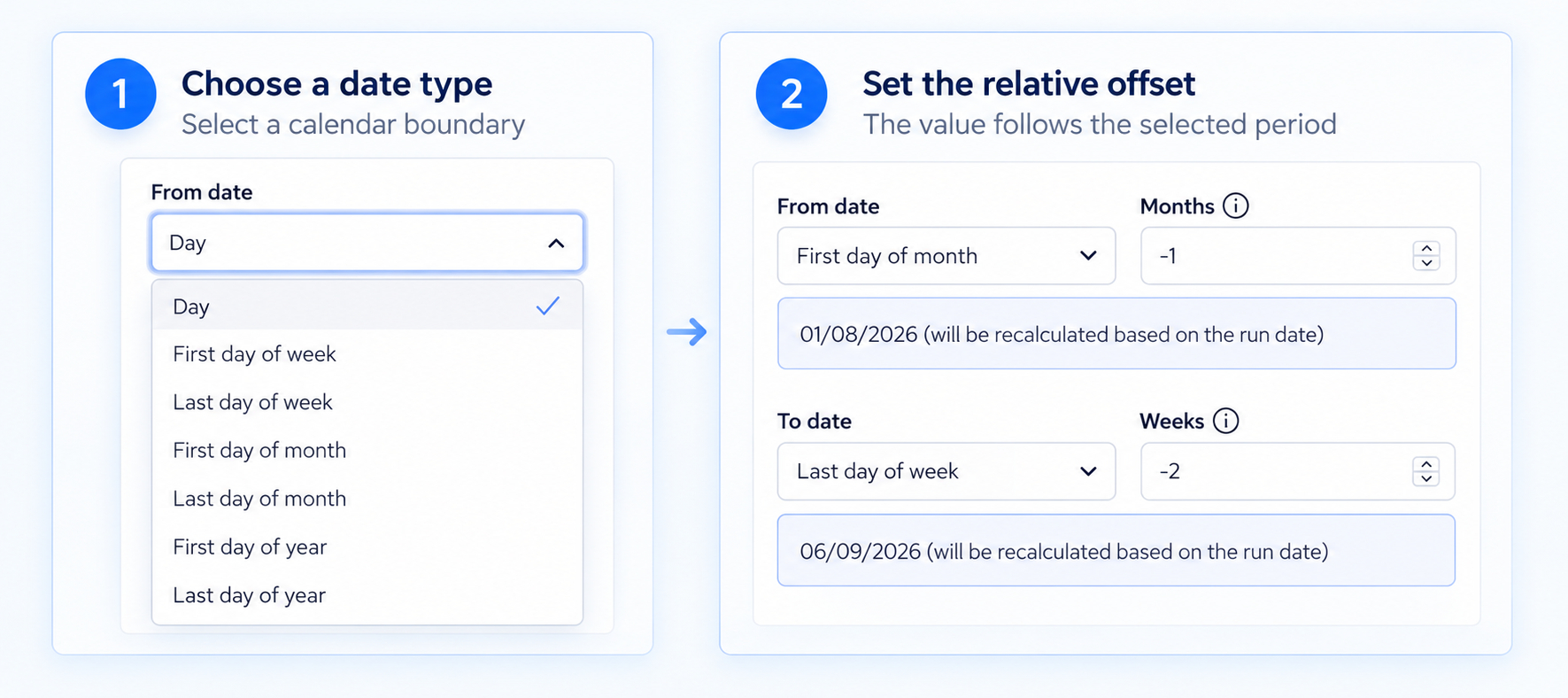
When creating a report specification, you can now define relative dates using additional calendar-based options.
The existing Day setting remains available and allows you to select a date relative to the report’s execution date using a positive or negative offset.
The following options are now also available:
First day of the week
Last day of the week
First day of the month
Last day of the month
First day of the year
Last day of the year
For these new settings, the relative value is applied according to the selected period. A negative value moves backwards in time, while a positive value moves forwards.
For example:
First day of the month, -1 returns the first day of the previous month.
Last day of the week, -2 returns the Sunday from two weeks earlier.
These options make it easier to create reusable report specifications for calendar-based reporting periods without calculating dates manually.
Email warnings for invalid report specifications
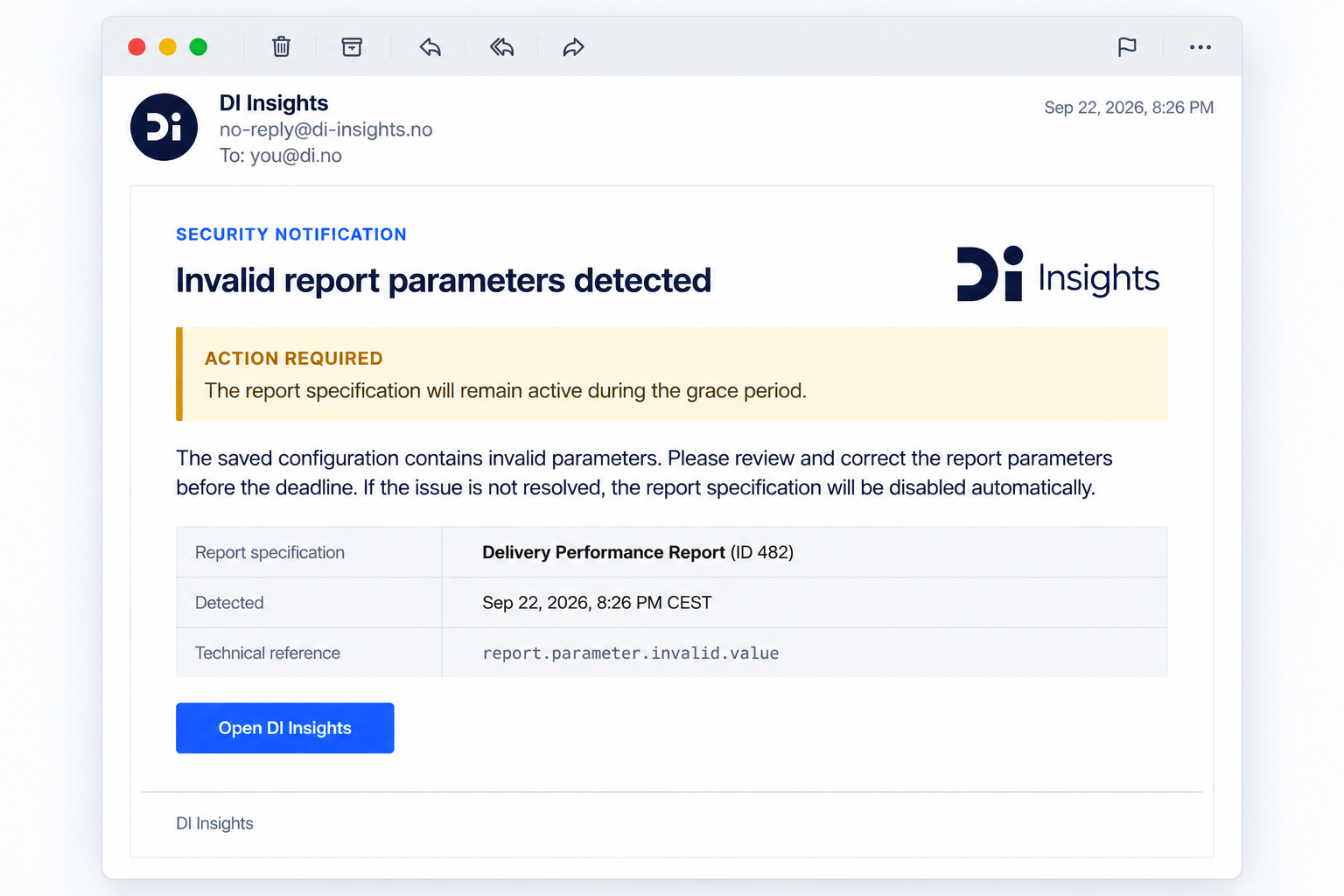
Users will now receive an email warning when a saved report specification contains invalid parameters—for example, if the configuration is incorrect or the user’s access changes after it was created.
The email identifies the affected report specification and gives the user a deadline to correct the issue. If the specification is still invalid after the deadline, it will be disabled automatically.
Security improvements
We have further hardened the application’s security configuration as part of this release, providing stronger protection for DI Insights and its users.
Links