- DATE:
- AUTHOR:
- The Distribution Innovation team
Buddy 1.5.1
Here's what's new in DI Buddy version 1.5.1. The app is available from Thursday, March 12th, 2026 in the App Store and Google Play Store.
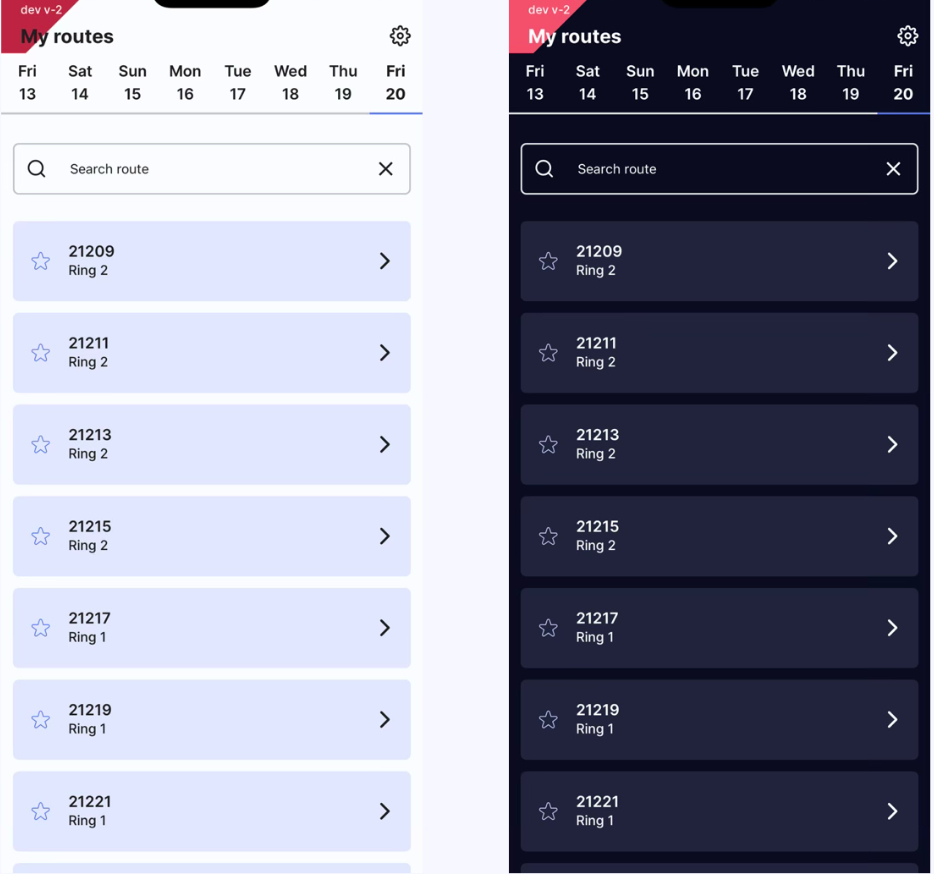
Dark Mode & Light Mode in DI Buddy
We’ve introduced Dark Mode and Light Mode in DI Buddy to improve usability and comfort for carriers during everyday operations.
What’s new
Buddy now supports both Dark Mode and Light Mode. By default, the app follows the system settings on the phone, automatically switching between dark and light appearance depending on the device configuration.
Users can also manually choose their preferred theme in Settings, selecting either Dark Mode or Light Mode regardless of the system setting.
Persistent user preference
The selected theme is saved to the user’s profile. This means that if a user sets the app to Dark Mode, it will remain in Dark Mode the next time they log in.
Updated Delivery Flow with Receipt Templates in DI Buddy
We have updated the delivery flow in DI Buddy to make proof of delivery more flexible and better adapted to different delivery situations.
What’s new
Previously, the delivery flow required carriers to take a photo first, based on the global Proof of Delivery settings, before registering where the parcel had been delivered.
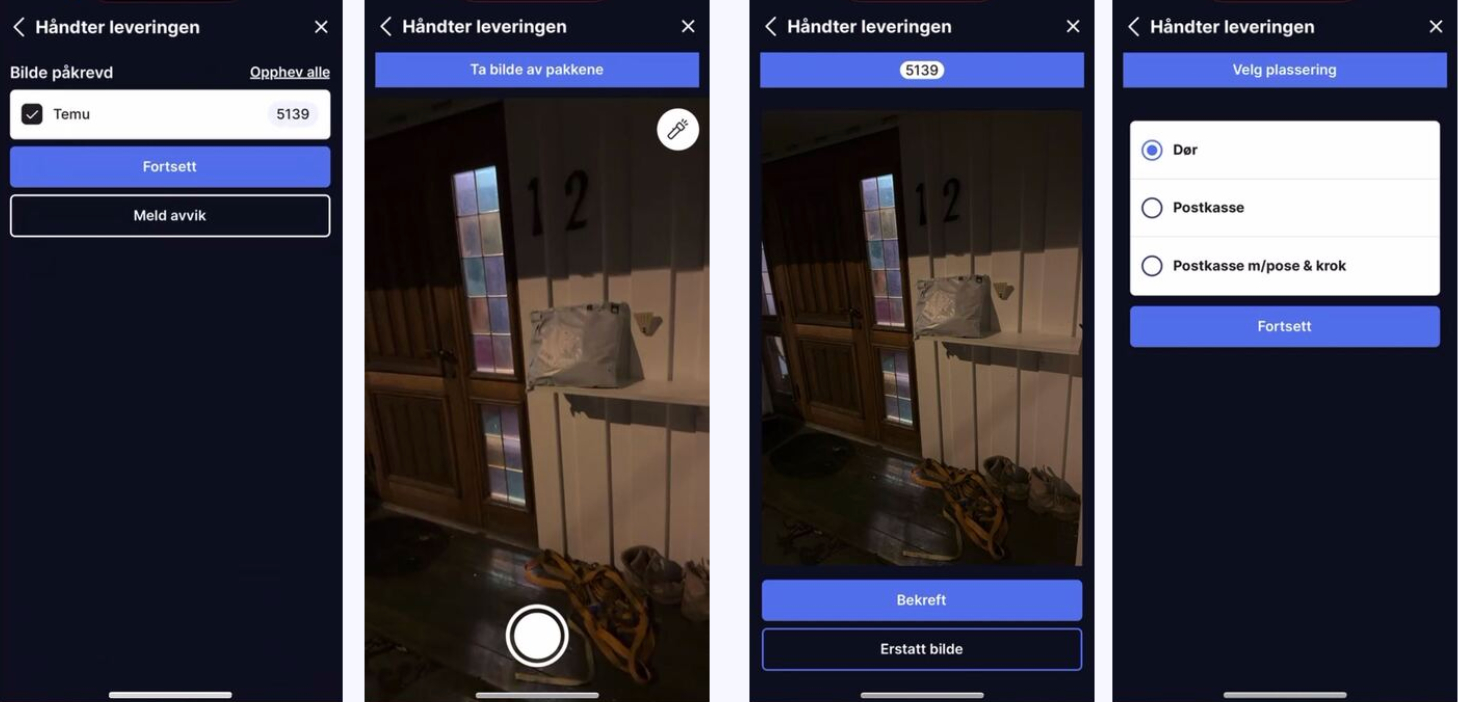
With this update, we introduce Receipt Templates.
Receipt Templates allow proof of delivery requirements to be configured more flexibly, making it possible to tailor the delivery flow depending on the delivery situation.
How it works:
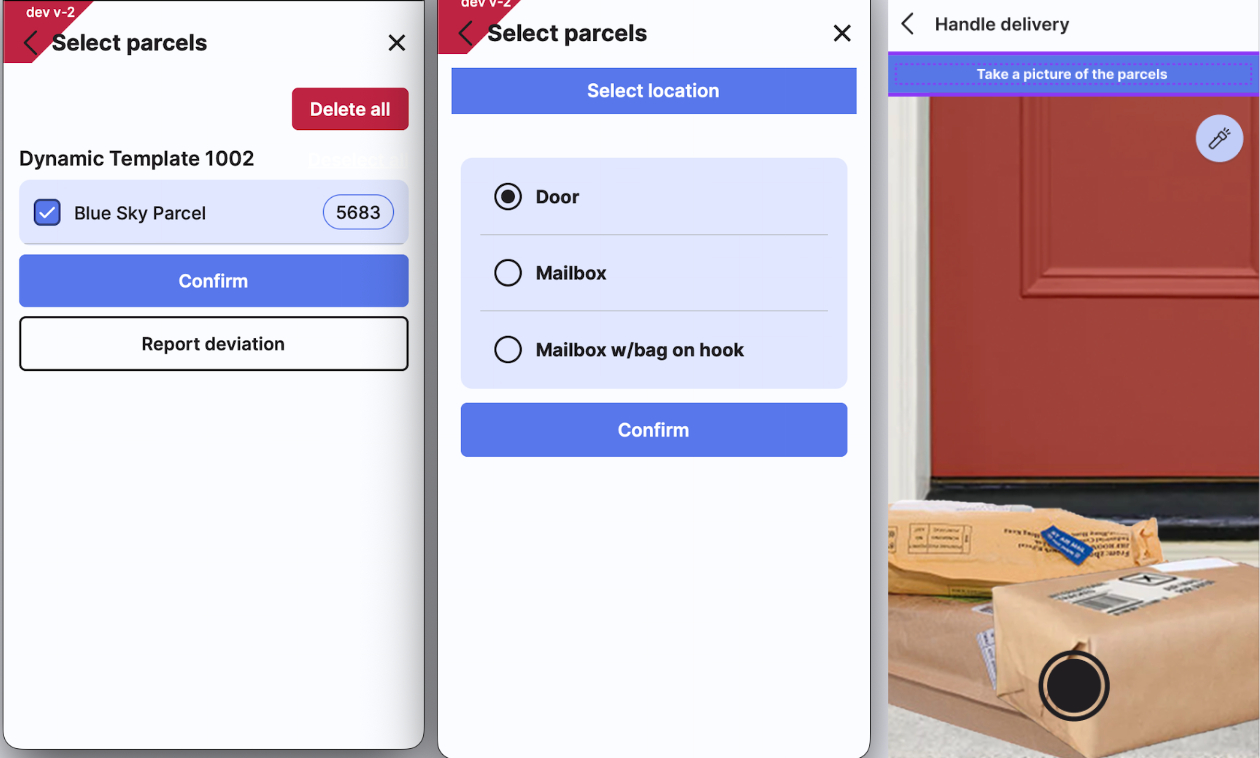
• Carriers now register where the parcel has been delivered first.
• Based on the selected delivery location tag, Buddy can apply different proof of delivery requirements.
• This means that different locations (for example mailbox, door, mailbox w/bag on hook) can have different required actions, such as taking a photo, scan or only confirming the delivery.
Why we made this change
This new structure makes the delivery process more configurable and adaptable, ensuring that proof of delivery better matches different and potentially new delivery scenarios.
It also enables photo documentation to be configured as a requirement both in the delivery flow and for specific deviations, giving greater control over how deliveries and exceptions are documented.
Benefits
• More flexible configuration of proof of delivery
• Better alignment between delivery location and documentation requirements
• Ability to require photo documentation for both deliveries and deviations