- DATE:
- AUTHOR:
- The Distribution Innovation team
Buddy 1.5.2
Here's what's new in DI Buddy version 1.5.2.
The app is automatically updated from Thursday, March 26th, 2026 after 10:00.
To receive the update, the app must have at least version 1.5.0.
What's new?
Split map + delivery mode
Keep your position visible when switching modules
When using split map and delivery view, the map now keeps both your current location and the selected stop visible when you swipe between stops.
Previously, the map shifted in a way that hid your position, requiring you to manually adjust it. Now, the map automatically adjusts to show both where you are and where you’re going—giving you better overview and saving time while navigating your route.
Dark mode / Light mode
Improved background colors across routes
Routes without a module summary now use the standard background color instead of green, making the interface more consistent and easier to read.
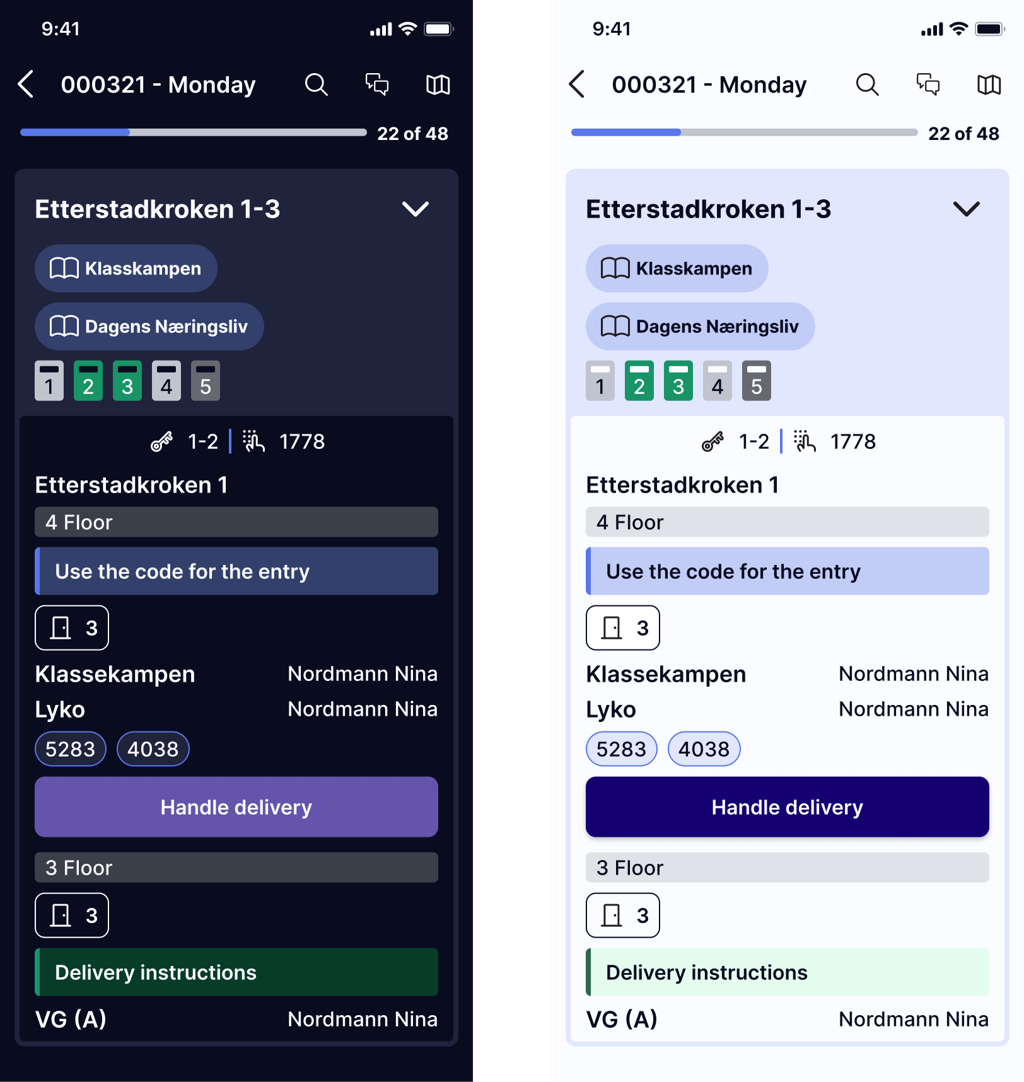
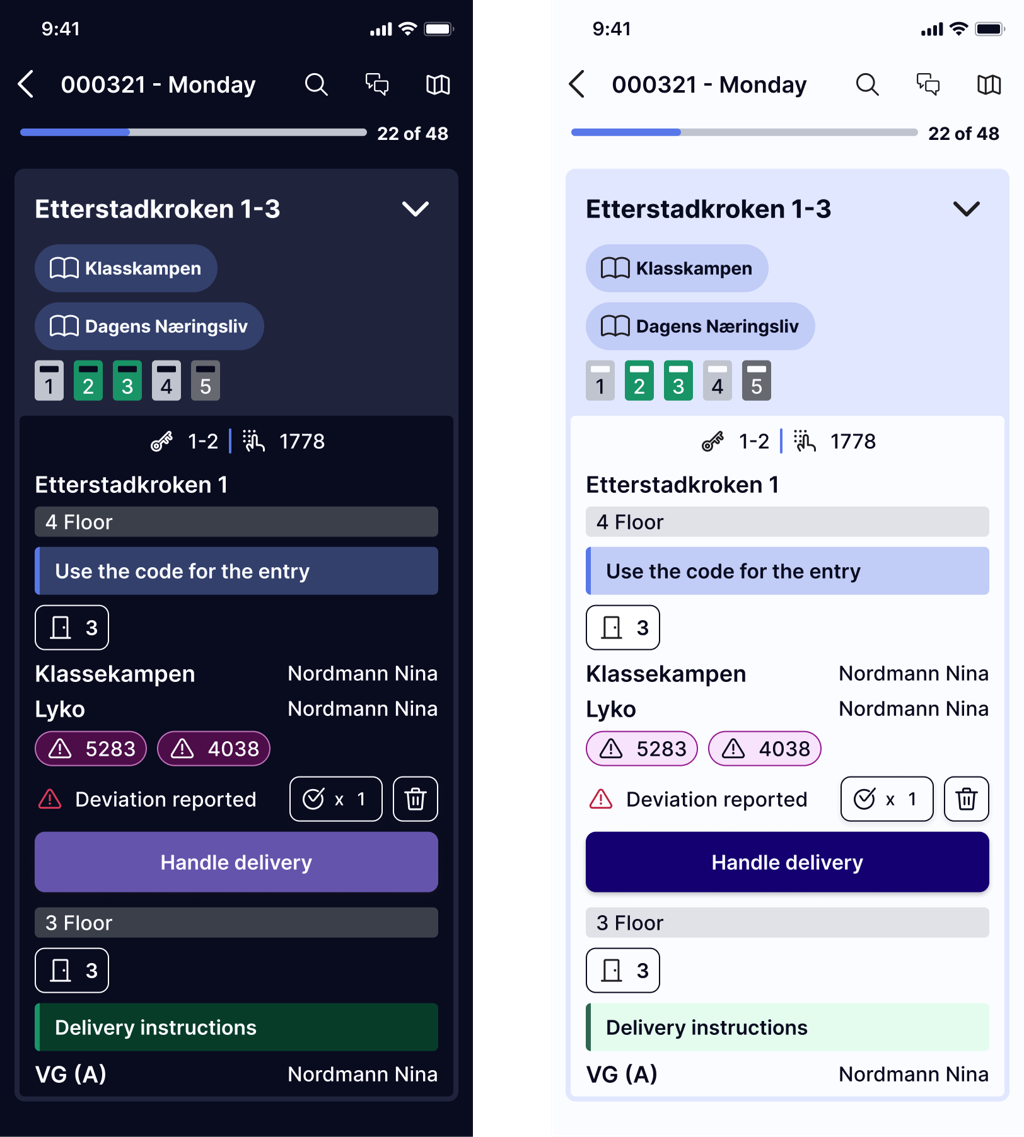
Updated design of deviation buttons
Buttons shown after delivering or reporting deviations have been updated with a cleaner look, including borders and improved contrast for better visibility.
Bug fixes and other improvements
Missing information in preparation view fixed
In the previous version, long product names could hide important details in customer feedback in preparations. In 1.5.2 the full complaint information (including dates) is visible even with long product names.
Correct day shown in Future Planned Routes
When for example a Saturday route was selected in Future Planned Routes, the heading at the top could incorrectly show Sunday. This is now fixed, and the correct day is shown throughout.
Navigation setting is now saved
Previously, selected navigation option in settings could reset after logging out and back in. We have now fixed it so that the users chosen navigation setting is saved.
Search in split delivery and map mode now works as expected
Searching for a customer in the split delivery and map mode could return results without opening the selected stop. This is now fixed, and selecting a search result takes you directly to the correct customer.
Flashlight button no longer hidden when taking photos
The flashlight button could be partially hidden by the product name when taking a picture. This is now fixed, making the button fully visible and easier to use.