
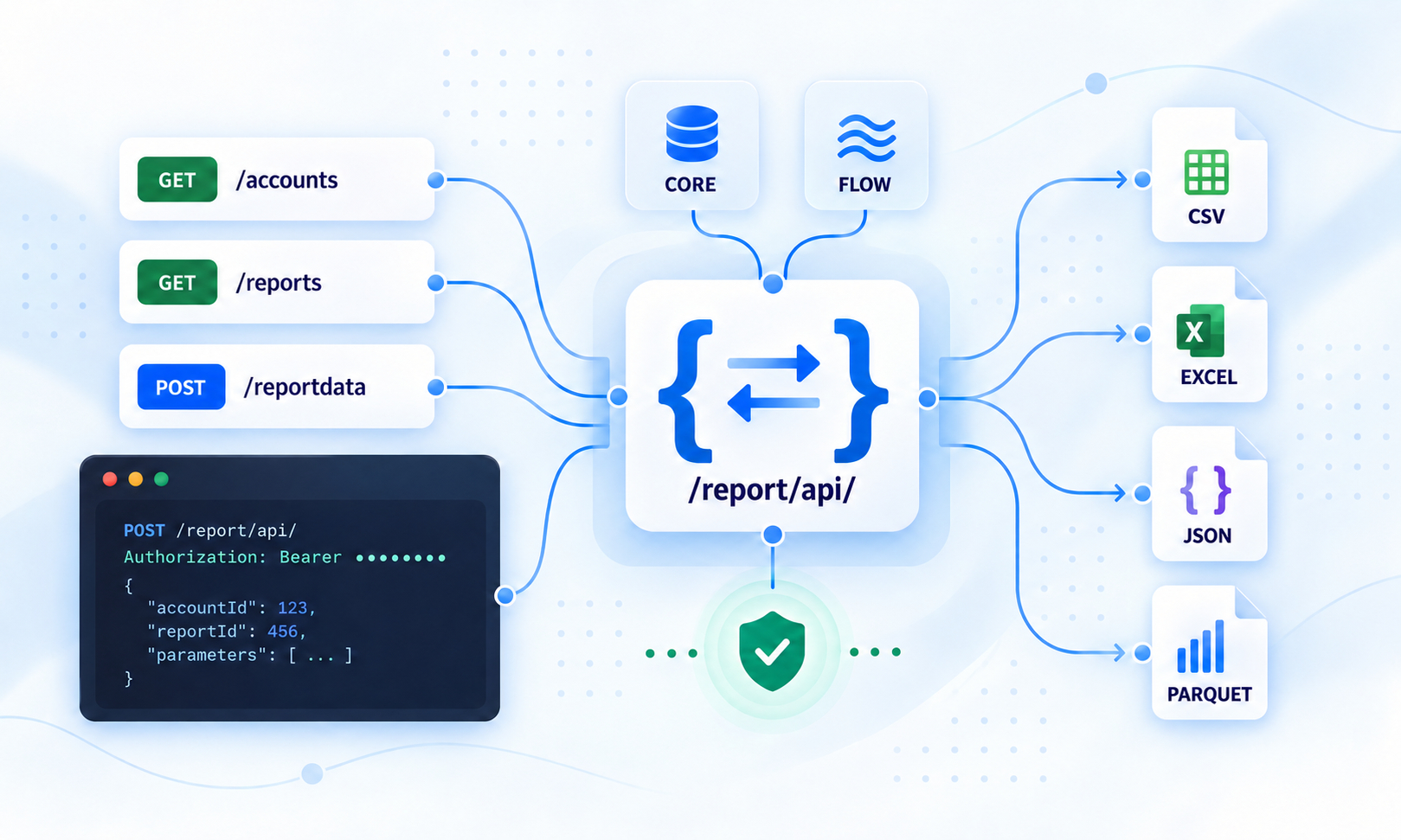
Introducing the DI Insights Report API
DI Insights now provides a dedicated REST API for secure, automated report retrieval.
The new Report API gives integrations, scheduled jobs, and data pipelines a structured way to discover available reports, configure valid parameters, and download report data without manual interaction.
Build automated reporting workflows
The API supports the complete report workflow:
Retrieve the accounts available to the authenticated user
Discover accessible reports in the selected language
Access reports provided by both DI Core and DI Flow (TBA soon)
Retrieve required parameters and their expected data types
Find valid values for static and dependent parameters
Validate submitted values before executing a report
Download the completed report for further processing
Multiple output formats
Reports can be downloaded in several machine-readable formats:
CSV
Excel (
.xlsx)JSON
Parquet
You can also select the required character encoding, including UTF-8 and ISO-8859-1.
Support for dependent parameters
The API exposes the relationships between report parameters.
If one parameter depends on another, an integration can submit the selected parent value and retrieve the valid values for the dependent parameter. This makes it possible to build reliable automated workflows that follow the same parameter rules as the DI Insights user interface.
Secure and validated access
All Report API endpoints require authentication using a bearer token.
Access to report data is validated against the authenticated user and the selected account. Before a report is executed, DI Insights also validates:
Required parameters
Parameter data types
Permitted values
Parent and child parameter dependencies
Report source and output settings
Getting started
A typical integration follows four steps:
Retrieve the accounts available to the authenticated user. (API access is only available for Account Admin users)
Select an accessible report and retain both its report ID and source.
Retrieve and resolve the report’s parameters.
Submit the parameters and download the report in the preferred format.
See the DI Insights Report API documentation for endpoint specifications, request and response examples, authentication requirements, cURL examples, and common error scenarios.